
Excel University Complete
The 5-pillar training program for number crunchers who'd rather invest a few hours now than burn hundreds doing things the long way
- Try it free for 7 days.
- $0 today.
- $480/year after the trial.
- Cancel anytime.
0
Students Trained




1
Register today
Takes 2 minutes. $0 today. Cancel any time in the next 7 days if it's not for you.
2
Fast Win Foundation
About 3 hours of focused lessons. You'll save more than that in the first week after applying what you learn.
3
Keep going at your own pace
Jump into the lessons. Drop into live office hours when you get stuck. Get your work done faster than ever.
You don't have an Excel problem. You have a time problem.
Hi ... Jeff here.
If you're like most accountants and finance pros I work with, you don't not know Excel. You can get the work done.
You're just doing it the long way.
Copy-pasting between tabs. Rebuilding the same workbook every quarter. Searching YouTube for that one formula you used three months ago. Asking ChatGPT for help, then copy-pasting its half-right answer into your spreadsheet and hoping for the best.
It works. Sort of. But it costs you hours every week. And those hours add up to weeks every year.
The math is brutal once you do it.
If you're losing 30 minutes a day doing things the slow way, that's 125+ hours a year. At your billable rate, that's not a training problem. That's a career-tax you're paying for not knowing the right way to do something you do every day.
Excel University Complete is how you stop paying it.
What's Inside
Excel University Complete is built on 5 pillars. Each one solves a problem that the free alternatives (YouTube, Google, ChatGPT) can't.

Pillar 1: Fast Win Foundation
A short, fast on-ramp built around the Modern Excel Crash Course. About 3 hours of focused lessons that get you current on what Excel can actually do today, including dynamic arrays, new functions, and modern workflows. No fluff, no fundamentals you already know.
You'll save more than 3 hours of work after applying what you learn here. The program pays for itself before you've finished Pillar 2.
Pillar 2: Core Training
My full curriculum.
- Speed Loop - my formal process to optimize your workbooks for efficiency and accuracy.
- Undergrad - the foundational skills every Excel user needs. Earn the Excel University Graduate Certification when you complete it.
- Masters - advanced techniques (Power Query, Power Pivot, Automation with Macros). Earn the Excel University Masters Certification when you complete it.
This is the depth you can't get from random tutorials. It's structured, sequenced, and built so each lesson reinforces the last. Two real certifications you can put on LinkedIn, your resume, or anywhere you'd like it displayed.
Pillar 3: Electives
Living lessons in the tools that surround Excel and increasingly, the tools your firm and clients are starting to use:
- AI: ChatGPT, Claude, Gemini, Grok, Copilot
- Automation: Zapier and Power Automate
- Google Sheets for Excel users
New lessons added as the tools evolve. So you're ready when your firm adopts Copilot, or a client moves to Sheets, or a new AI tool changes how work gets done.
Pillar 4: Support Network
You're not learning alone. Three layers of support:
- Live office hours with me - bring your real workbooks and your real questions
- Live study halls with TAs - sessions to keep momentum with the lessons
- The Student Union - the community of other number crunchers going through the same thing
This is the part you can't get from any course, free or paid. Real people, real questions, real answers.
Pillar 5: Completion Engine
Most online courses fail one test: people don't finish them.
The Completion Engine is the system we built specifically to fix that. Milestone-based progress tracking, rewards for hitting checkpoints, and billing discounts that reward you for actually completing modules.
Because the best curriculum in the world is worthless if you abandon it in week three.
⭐⭐⭐⭐⭐ 4.9 / 5 on Trustpilot · 1,235 reviews
"A report that took 6 hours now takes 30 minutes. I rolled this course out to my company."
— M Clay


Student Success Guarantee
Registration comes with our Student Success Guarantee.
- Unconditional 30‑day refund: 30‑day full refund. Any reason. Simple. (Or until you earn CPE.)

Don't Take My Word For It
Click to hear success stories from actual Excel University students!

Anna's story

Steve's story

Penny's story

Christian's story

Margaret's story

Michael's story

Moss's story

Joe's story

Christine's story

MK's story

Rob's story

Leslie's story

Cori's story

Tracy's story

Rebecca's story

Sean's story

Debbie's story

Tom's story

Tianqi's story

Tracy's story

Anthony's story

Teresa's story

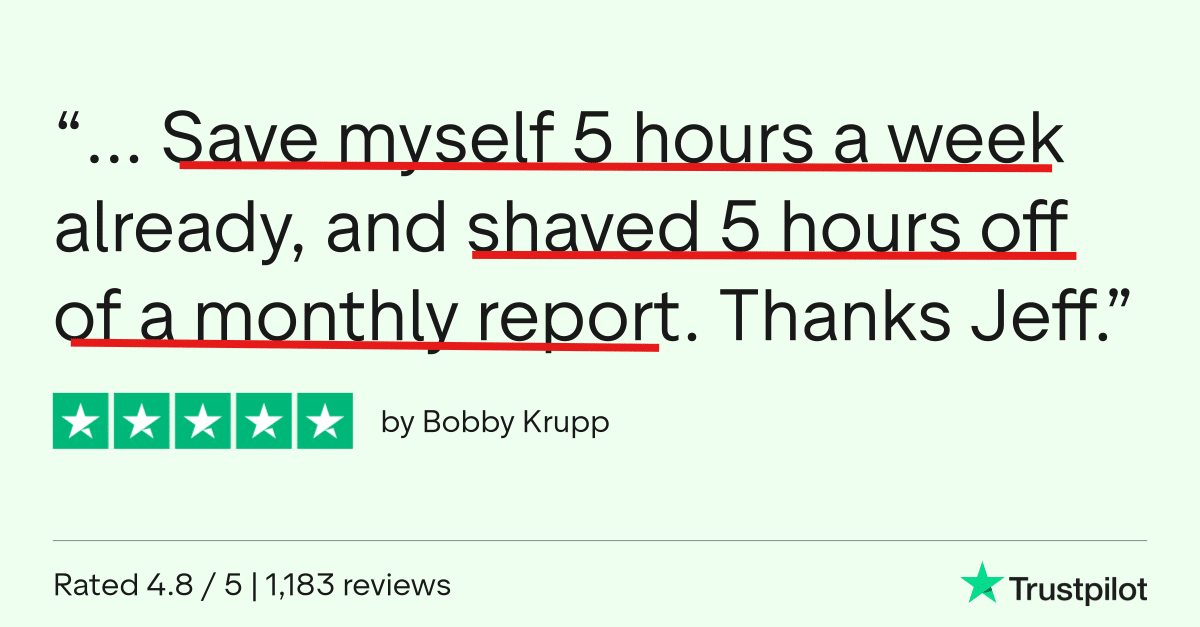
Bobby's story

Holly's story

Linda's story

John's story

Robin's story

Chifumi's story

Robert's story

Kyle's story

Sherry's story

Lori's Story
Why this works when free didn't
You've probably tried YouTube. Maybe a Google Sheets cheatsheet PDF. Maybe ChatGPT.
Here's why those didn't get you where you wanted to go:
- YouTube is unstructured. You learn whatever's in front of you, in whatever order the algorithm serves it. Three years later, you have 200 bookmarked videos and the same gaps you started with.
- Google answers questions you already know to ask. It can't tell you what you don't know to ask. The most valuable Excel skills are the ones you don't know exist yet.
- ChatGPT is confidently wrong sometimes. It writes formulas that look right and break in edge cases. If you don't already know Excel well, you can't tell when it's bluffing.
A structured program gives you what free can't: the right things in the right order, taught by someone who's done the work, with live support when you get stuck.
That's the whole pitch.
Registration
- Full Undergrad lessons & CEUG certification ($597 value)
- Modern Excel Crash Course ($49 value)
- Google Sheets for Excel Users Course ($179 value)
- Excel University Masters lessons & Masters certification ($567 value)
- AI + Automation lessons ($297 value)
- Live Office Hours, Study Halls & Student Union ($600 value)
- 12 months of access with no auto‑renew
- Total value: $2,289
Note: Progress doesn't transfer between non‑CPE and CPE program, so if there is any chance you may want CPE credit, choose the CPE option now.







Campus Pass (free trial)
- 7‑day free trial
- $0 today
- $480/year until you cancel
- You can cancel at will with 2 clicks
- Best for professionals who do not need CPE credit
CPE Pass (free trial)
- 7‑day free trial
- $0 today
- $620/year until you cancel (cancel at will with 2 clicks)
- Earn up to 124 CPE
- Best for professionals who do need CPE credit
What Happens Next?
- Click the desired Register button above.
The billing period is Annual. You are charged $0 today. Cancel before day 7 and you are never charged. On day 7 you are billed the annual subscription. - Get immediate access.
Right after checkout you can log in and see all of your training materials. - Work through the lessons at your own pace.
You can move as quickly as you’d like through the lessons and attend as many live office hours and study halls as you want for support. - Enjoy your newfound efficiency at work.
Close the books faster, make fewer mistakes, and become “the Excel person” your team relies on.
FAQs
How long do I have access? Is this lifetime?
This is an annual subscription, not lifetime access. Here's exactly how it works:
- During your 7-day trial: Access training, lessons, quizzes, exams, live office hours, study halls, and the Student Union community.
- If you cancel immediately or anytime before day 7: no charge ever
- On day 7: you are billed for the annual subscription. It will auto-renew until you cancel. You can cancel at will with 2 clicks. When you cancel, you retain access to all materials for the remainder of the billing cycle. The subscription will not renew.
- What you keep forever (after you cancel): Everything you download during your enrollment (workbooks, book chapters, templates, PDFs, additional resources, and certificates) is yours to keep as a permanent reference.
How much CPE can I claim?
If you choose the CPE Pass, you can earn up to 124 CPE hours. CPE is issued incrementally as you proceed. How many hours you can or should claim in a single reporting period depends on your state board’s rules and your renewal dates.
What should I do first?
Start with the Modern Excel Crash Course to get fully up to speed on the latest features, then begin the undergrad lessons by clicking the Graduate Program course card in your student dashboard. Your welcome email will walk you through these steps.
Will this help my LinkedIn profile?
Yes. You’ll be able to add the Certified Excel University Graduate (CEUG) credential to your LinkedIn profile, and when you complete the program we’ll send instructions so Jeff can write you a short LinkedIn recommendation as well.
CPE Credit for CPAs
- CPE is issued at the completion of each lesson.
- The Graduate Program is offered for 68.5 CPE.
- The Masters Program (included) is offered for 55.5 CPE.
- The Modern Excel Crash Course is offered for 3 CPE
- The Google Sheets for Excel Users is offered for 7 CPE.
- The AI + Automation lessons in Electives is not offered for CPE.
- The registration page provides additional CPE information, such as recommended CPE hours, delivery format, learning objectives, and more.
Do I have to be at a certain skill level?
- I've intentionally designed this program to help Excel users at all levels. Here's how. The lessons proceed in order, starting at the beginning. But, students can skip around to lessons as desired. For example, if you already know VLOOKUP you can skip that video and related exercises.
Will the training be too difficult?
- I have implemented everything I learned about teaching Excel over the past decade. And as a result, I use common language to explain concepts rather than trying to make myself sound smart by using techie terms and acronyms. I use everyday plain language to make the technical topics easy to understand. I teach each topic in a specific order so that skills are introduced at exactly the right time (not too early) and each lesson builds on the last. That way, there is nothing introduced that is a difficult surprise.
Which version of Excel is required?
- The core skills taught in the undergraduate lessons are available in most Excel versions, including Excel for Windows, Mac, and online. However, the automation skills taught in the masters lessons require a fairly modern version of Excel for Windows that includes Power Query and Power Pivot.
How much time will it take?
- Given that students arrive with different experience levels and goals, it is hard to say for sure. Some students want to watch all videos, complete all exercises, all extra credit exercises, read all text, review all of the additional resources, complete all puzzles and gamification elements, and so on. Whereas some students simply want to watch the videos. I've designed the program so that you can choose your own adventure. You can work through the material as fast or slow as you'd like ... at YOUR own desired pace. It is really up to you.
Can't I just figure all of this out on my own?
- Well ... maybe ... but that will take way to long. As Steve Jobs said, Time is our most precious resource. My training program is designed to help you learn Excel in the most efficient and effective possible way.
CPE Information
- Instructor: Jeff Lenning CPA
- Recommended Software: Excel for Windows (2016 or later)
- Program Level: Basic
- Prerequisites: None
- Advance Preparation Needed: None
- Delivery Method: QAS Self-Study (on-demand)
- Expiration Date: 1 Year
- Refund Policy: full refund within 30 days or until you earn any CPE
- Field of Study: Computer Software & Applications
- Access Begins: Immediately
- Certificates of completion: Download with a passing exam score
- Recommended CPE for the Graduate Program: 68.5
- Recommended CPE for the Masters Program: 55.5
- Recommended CPE for the Modern Excel Crash Course: 3
- Recommended CPE for the Google Sheets Course: 7
- Total CPE Offered with this bundle: 134
- Materials: all materials are digital (no printed textbooks)
- Objectives: State 3 core Excel features, Recall 3 core functions and their arguments, Identify 2 tools that help automate Excel.
- Complaint Resolution: contact us at 949-200-7688 or [email protected]
- Official Registry Statement: Excel University, Inc. is registered with the National Association of State Boards of Accountancy (NASBA) as a sponsor of continuing professional education on the National Registry of Sponsors. State boards of accountancy have final authority on the acceptance of individual programs for CPE credit. Complaints regarding registered sponsors may be submitted to the National Registry of CPE Sponsors through its website nasbaregistry.org.