
Excel University Blog
Read on for in-depth articles, tutorials, and videos. Search or browse for specific topics. Be sure to subscribe if you'd like to be notified when we write something new.
Functions

In this post, we’ll explore a method for generating a drop-down that contains a unique list of choices derived from a table column with duplicate values. Objective Before we get started on the mechanics, let’s take a look at what we are trying to achieve. We have a data table that is exported from our…

In this post, we’ll explore three methods for transposing data in Excel. The first method can be used when you just want to quickly to transpose the values manually. The second method can be used when you want formulas to perform the transposition automatically based on the labels. The third method can be applied when…
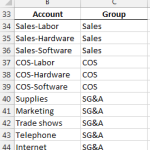
Of all the functions introduced in Excel 2007, 2010, and 2013, my personal favorite is SUMIFS. The SUMIFS function performs multiple condition summing. The function is designed with AND logic, but, there are several techniques that allow us to use OR logic instead. This post explores a few of them. Note: if your version of…
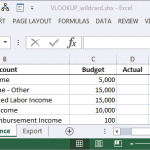
In a previous post, we explored how to use the TRIM function to remove trailing spaces from lookup values used in a VLOOKUP function. In this post, we’ll tackle the reverse issue, where the values in the lookup column contain trailing spaces, by using wildcards in the VLOOKUP function. Note: depending on your version of…

I’m a huge fan of the VLOOKUP function, and am surprised by its day-to-day utility for accountants. In this post, we use the VLOOKUP function to convert or translate calendar year transaction dates into fiscal year periods, such as a fiscal quarter. To accomplish this, we’ll first need to investigate in detail the function’s fourth…

This post explores options for formatting cells that are locked, or unlocked, in an Excel worksheet. Scenario Let’s pretend we have a worksheet that helps a user compare three different loans. The user is required to enter information, such as interest rate and number of years, into designated input cells, but shouldn’t be allowed to…

Hi guys! Just wanted to draw your attention to my April 2014 Journal of Accountancy article that discusses the power of mapping tables. If you’ve not experimented with this technique, it is worth checking out. In summary, a mapping table sits between the data and report sheets and enables you to translate labels and aggregate…

The AVERAGEIFS function can compute averages for transactions that meet a set of criteria. In this post, we’ll use it to create a report by customer that ignores zero value transactions. Overview Although SUMIFS was probably the most popular multiple condition function introduced in Excel 2007, it wasn’t the only one. Microsoft released AVERAGEIFS which…

As a general rule, it is a good idea to delegate as many tasks to Excel as possible. Report headers are no exception, especially for recurring-use workbooks. This post explores the functions needed to create a dynamic report header, such as “For the Period Ending December 31, 2015.” Overview Let’s assume we use the same…

In the old days, we could use a combination of the IF and ISERROR functions to clean up reports. This method was good, and worked for many years…but starting with Excel 2007 there is an easier alternative. This post explores the IFERROR function. Overview The IFERROR function enables us to use a single function to…