
Excel University Blog
Read on for in-depth articles, tutorials, and videos. Search or browse for specific topics. Be sure to subscribe if you'd like to be notified when we write something new.
Functions

I recently received a question about how to find the most recent transaction date of a list of items. There are a few fun ways to accomplish this, and so I thought I’d walk through three options. Thanks Darrell for your question! Objective The exact question from Darrell is: “I have a data table of…
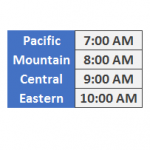
I was recently working on a workbook, and had to convert an event time from one time zone to another. Basically, I wanted to enter the time of day into a cell, and then I needed a formula to compute the event time in a different time zone. This post walks through the formula to…

In recent back-to-back webinars, two different attendees asked how to check to see if a user entered a text string with all caps. Specifically, they asked how to set up a data validation rule to determine if all letters are capitalized. So, I figured I would write a quick post about the technique. Objective Let’s just take a moment…
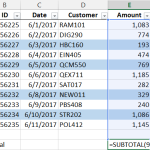
If you need to compute the total for certain cells based on their font or fill color, you may have noticed that Excel formulas operate on stored values, not displayed values. That means that functions such as SUM and SUMIFS operate on the underlying cell values and disregard cell formatting, such as font or fill…

The SUBTOTAL is a wonderful alternative to the SUM function, and this post shows how to set up a shortcut button that inserts the SUBTOTAL function. Our new shortcut button will be similar to the AutoSum button that inserts the SUM function because it will automatically include the cells above. Objective Before we get started, let’s…

If you have ever wished that the VLOOKUP function could return the sum of two or more related columns, this trick will get you there. Objective Before we get into the details, let’s be clear about our objective. We have some transactions that were exported from our accounting system as shown below. We would like…

When you need to compute a future date and exclude weekends, you may want to consider exploring the WORKDAY function. In this post, we’ll use the WORKDAY function to prepare a simple project plan and then display it with a Gantt chart. Objective We have a project that we are managing and it has several…
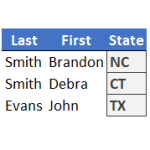
When you need to perform a lookup, your instinct tells you to use VLOOKUP. But, when your lookup uses multiple conditions and columns, you may be inclined to use SUMIFS. However, when the value you need to return is a text string, rather than a numeric value, you are precluded from using SUMIFS since it only…

In this post, we’ll perform a two-dimensional lookup with Excel’s VLOOKUP function. Objective Let’s begin by clarifying our objective and what is meant by the term two-dimensional lookup. We have stored our price list in a table, and the price for each item varies based on the region. This is illustrated in the screenshot below. To…

Let me ask you a question. How do you know when a user has entered a value into a formula cell, essentially overriding your formula? Since this is Excel, there are several ways to address this issue, but starting with Excel 2013, we can use conditional formatting with the new ISFORMULA function. Objective Our worksheet…