
Excel University Blog
Read on for in-depth articles, tutorials, and videos. Search or browse for specific topics. Be sure to subscribe if you'd like to be notified when we write something new.
Jeff Lenning

My Excel friend John Michaloudis put together an excellent podcast a few weeks ago, where he interviewed 23 Excel experts and asked them to give their favorite Excel tip. The tips include shortcuts, functions, features, and design principles. It is a terrific collection of ideas to help as you head into 2017. If you’d like…

Have you ever tried to do some type of calculation with a time value in Excel, only to receive a strange result? Two examples are adding up hours on a time sheet and multiplying the number of hours worked by a pay rate. If you’ve tried something like this and encountered an unexpected result, the…

Alright…Excel University Volume 4 is available! Well, this volume has taken two years to create, but, I believe the time spent was well worth it. It is, without a doubt, my favorite volume in the Excel University series. We mainly focus on internal-use workpapers, and how to get them done the fast way! I think…

I was recently working on a workbook, and had to convert an event time from one time zone to another. Basically, I wanted to enter the time of day into a cell, and then I needed a formula to compute the event time in a different time zone. This post walks through the formula to…

In recent back-to-back webinars, two different attendees asked how to check to see if a user entered a text string with all caps. Specifically, they asked how to set up a data validation rule to determine if all letters are capitalized. So, I figured I would write a quick post about the technique. Objective Let’s just take a moment…
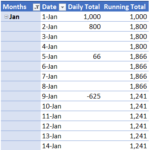
When you download banking activity, you typically get the transactions, but not the daily bank balance. To compute the daily bank balance, you need to summarize the transactions by day and display a running total for all days, even those without any activity. This post demonstrates how to build such a report using a PivotTable. Overview…

I have three exciting Excel University announcements! They are about QBConnect, Top 10 CPE Courses, and Volume 4. First up, QBConnect! QBConnect I’ll be presenting an Excel session at the QBConnect conference in San Jose, and if you are going, I’d love to see you there! The title of the session is Excel: The Power…

If you haven’t played with the Get & Transform commands in Excel 2016 for Windows, they’re probably worth checking out. I don’t want to sound overly dramatic here, but this set of capabilities is a game changer. These tools provide new ways to approach tasks, and enable us to do things that were previously time-consuming, impractical or required macros. If you’d like to…
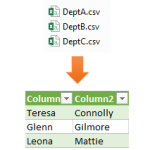
Let’s say you have several data tables, and you need to combine them into a single table. One option would be to copy and paste to append them. But, depending on how many data tables there are, this type of manual process can be tedious. In this post, we’ll use a Get & Transform query…
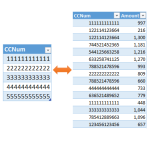
I recently received an Excel question about how to perform a specific list comparison, and I thought I’d demonstrate how to use a Get & Transform query as an alternative to the formula-based list comparisons typically performed with functions such as VLOOKUP and COUNTIFS. The original question is: “I am trying to use a list…