
Excel University Blog
Read on for in-depth articles, tutorials, and videos. Search or browse for specific topics. Be sure to subscribe if you'd like to be notified when we write something new.
Jeff Lenning
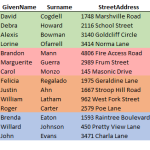
In this post, I’ll answer a question submitted by reader Chérie about sorting by color. The basic question is this. “I have created a color coded list, where yes=green, no=red, maybe=orange, and other is any other color. How can I sort the list so that all the yes rows are first, then no, then maybe,…

Excel users often spend a bunch of time applying the same format to number cells. Some numbers are stored values and others are calculated with formulas. The task of manually applying the same format to all of the numbers in the worksheet, especially when the numbers aren’t in a continuous range, can feel quite repetitive.…
Excel users find themselves making the same customizations over and over again. This post demonstrates how to store customizations such as cell formatting, headers, print preferences, the default PivotTable style, and cell styles, in a template workbook. Plus, we’ll see how the name and location of the template determines when it is used, and, if it…
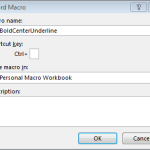
When storing utility macros, Excel users often elect to save them in the Personal Macro Workbook. The advantage is that the macros are available whenever Excel is running. The disadvantage is that if you switch or upgrade computers, you may forget to take a backup of the Personal Macro Workbook and thus lose your macros. In…
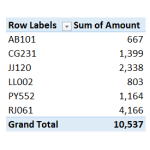
PivotTable users frequently spend time assigning the same number format to PivotTable values. To my knowledge, there isn’t a built-in setting that allows us to define a default value field format. But, it is pretty easy to set up a macro that instantly assigns a desired format. This post walks through the steps of creating such a macro. Objective…

Excel has cell formatting designed just for accountants. Not surprisingly, it is called the Accounting Number Format. The built-in ribbon commands apply the format with two decimals and the currency symbol. This post demonstrates how to set up two handy QAT icons so that we can quickly apply this format with no decimals and without a currency…
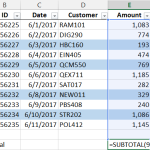
If you need to compute the total for certain cells based on their font or fill color, you may have noticed that Excel formulas operate on stored values, not displayed values. That means that functions such as SUM and SUMIFS operate on the underlying cell values and disregard cell formatting, such as font or fill…

I’m not sure about you, but, sometimes I sort of miss the old days of Excel when Ctrl+O immediately displayed the Open dialog box. This dialog box allowed me to quickly navigate my computer and find the file I wanted to open. However, when Microsoft introduced the Backstage, this keyboard shortcut stopped displaying the Open…

Are you familiar with the double-click shortcut to fill formulas down? If so, have you noticed it stops filling down at the first blank row? This post will discuss the double-click shortcut as well as a simple workaround for how to fill it down through a report range even when there are blank rows in…

The SUBTOTAL is a wonderful alternative to the SUM function, and this post shows how to set up a shortcut button that inserts the SUBTOTAL function. Our new shortcut button will be similar to the AutoSum button that inserts the SUM function because it will automatically include the cells above. Objective Before we get started, let’s…