
Excel University Blog
Read on for in-depth articles, tutorials, and videos. Search or browse for specific topics. Be sure to subscribe if you'd like to be notified when we write something new.
Jeff Lenning

Excel is used for all sorts of things, including budgeting, reporting, reconciling bank statements and more. Sometimes, it’s used as a bridge between two applications … that is, to export, clean and import data between two different systems. This type of process is so common it even has its own acronym: ETL (Extract, Transform and…

Do you love FlashFill? Do you love Get & Transform queries? If so, you’ll love the most recent Excel update pushed out by Microsoft: New Column by Example. It is essentially FlashFill inside PowerQuery. It is way cool. Check it out. Objective Let’s say we have some data. It doesn’t matter where it is, it…

Imagine this scenario: There are 120 CSV files in a folder on your network. Each CSV export contains the transactions for a single month, and there are 10 years’ worth of files. Your mission, should you choose to accept it, is to combine all of the transactions in these 120 files into a single Excel…

There are numerous lookup functions in Excel, and often, their capabilities overlap. And, that is true with many things in Excel…there are often multiple ways to accomplish any given task. Performing lookups is no exception. So, how are we supposed to know which lookup function to use? Often, Excel users try to decide between VLOOKUP…

I’m happy to announce the immediate availability of Excel University’s newest guest lecture: VBA Pro by Jon Acampora. Earn 16 CPE hours while learning how to have macros do your work for you…what could be better? Macros offer the biggest opportunity for automation in Excel, and can help you get your work done faster. And…
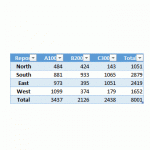
Recently, I’ve been on this kick of using Get & Transform queries to accomplish tasks that we previously performed with other methods. It is clear that the Get & Transform commands provide new ways to solve old problem. In this post, I’ll demonstrate how we can use a Get & Transform query to transpose values.…
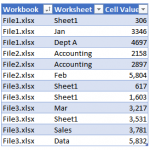
Alright my friends, this week I’ll tackle a question I received about retrieving values from workbooks. Here is the basic idea of the question. I have a folder with several hundred workbooks, and each workbook may contain any number of worksheets. For example, some workbooks have two sheets, some have three sheets, and some have…

I recently received a question about how to find the most recent transaction date of a list of items. There are a few fun ways to accomplish this, and so I thought I’d walk through three options. Thanks Darrell for your question! Objective The exact question from Darrell is: “I have a data table of…

I really like to highlight input cells by applying the Input Cell Style. I also like to try to place all of the input cells for a workbook on a single worksheet. That way, it is easy to update the input cells, and since they aren’t on any of the sheets I need to print,…
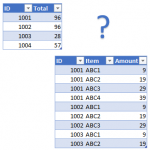
In this post, we’ll use a Get & Transform query to help with our reconciliation. The idea for this post came from a question from Laura (thanks Laura!) The basic idea is that we have two worksheets. One contains the invoice totals and the other contains line item details, where there are many line items per…