
Excel University Blog
Read on for in-depth articles, tutorials, and videos. Search or browse for specific topics. Be sure to subscribe if you'd like to be notified when we write something new.
Functions

Microsoft has been hard at work updating Excel’s calculation engine. Depending on the version of Excel you’re using, you either have—or will have when you update—access to some capabilities that are sure to change how you think about and use Excel. I wrote about one of the new capabilities called Dynamic Arrays for California CPA…
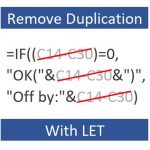
Have you ever written a formula that repeats the same expression multiple times? I know I have. One simple example is IF((A1-B1)=0,0,A1-B1). Notice how the expression A1-B1 is used twice? This is a simple example of duplicating an expression within a formula. In general, we want to try to remove/minimize such duplication to make the…

XLOOKUP is the next-gen lookup function designed to address the limitations of VLOOKUP and related workarounds. It combines the capabilities of numerous functions including VLOOKUP, INDEX, MATCH, HLOOKUP, and IFERROR. Many have asked me to teach this via webinar. So, I created this short webinar that covers the basics 🙂 This on-demand webinar is about…

Let’s say you measure something with a duration that can span multiple days. For example, a hotel guest can check in for multiple days, a patient can be in a hospital for multiple days, a widget can be in a specific manufacturing stage for multiple days, a book can be checked out for multiple days,…

VLOOKUP is perhaps the most iconic function in Excel and users have come to adore it. As great as VLOOKUP is, it has several limitations. For example, column order matters. It was designed to look for a matching value in the first (left-most) column within the lookup range. Once found, it scans to the right…

This is the third post in the Gamification + Excel Training series, and in this post we talk about challenges. One component of our gamification strategy is to encourage competition by hosting challenges. In general, competition is motivating and can help people push themselves to accomplish more. So, it is an element used in our…

In this post, we’ll discuss a way to simulate using VLOOKUP to return multiple matching rows and/or columns. What do you mean by “simulate” Jeff? Well, VLOOKUP is designed to return a single value, not multiple values. That is, VLOOKUP scans down the lookup range and stops at the first matching row … ignoring any…

In this, our final analysis, we will briefly recap each of the 8 rounds and confirm we understand the key differences between these two incredible functions. Then, we’ll confirm we know when and how to apply each in practice. Let’s get to it. Winner? So, which function is better? Which one should we always use?…

When Microsoft released XLOOKUP, they also released XMATCH. XMATCH hasn’t received as much attention as XLOOKUP, so I wanted to talk about it here. In summary, it is similar to the legacy MATCH function we’ve been using for decades, but it receives similar enhancements introduced with XLOOKUP. Let’s get to it. XMATCH Before we get…
The purpose of this round is to examine the ability of each function to perform a range lookup. A range lookup is where we aren’t looking for an exact matching value, but a value that falls between a range of values. So let’s get to it. Round 8 Each sales reps earns a bonus…