
Excel University Blog
Read on for in-depth articles, tutorials, and videos. Search or browse for specific topics. Be sure to subscribe if you'd like to be notified when we write something new.
SUMIFS

When you need to perform a lookup, your instinct tells you to use VLOOKUP. But, when your lookup uses multiple conditions and columns, you may be inclined to use SUMIFS. However, when the value you need to return is a text string, rather than a numeric value, you are precluded from using SUMIFS since it only…
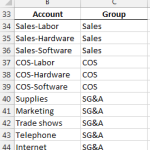
Of all the functions introduced in Excel 2007, 2010, and 2013, my personal favorite is SUMIFS. The SUMIFS function performs multiple condition summing. The function is designed with AND logic, but, there are several techniques that allow us to use OR logic instead. This post explores a few of them. Note: if your version of…

Hi guys! Just wanted to draw your attention to my April 2014 Journal of Accountancy article that discusses the power of mapping tables. If you’ve not experimented with this technique, it is worth checking out. In summary, a mapping table sits between the data and report sheets and enables you to translate labels and aggregate…

This post discusses ways to retrieve aggregated values from a table based on the column labels. Overview Beginning with Excel 2007, we can store data in a table with the Insert > Table Ribbon command icon. If you haven’t yet explored this incredible feature, please check out this CalCPA Magazine article Excel Rules. Frequently, we…

If you have ever tried to use a VLOOKUP function with two or more criteria columns, you’ve quickly discovered that it just wasn’t built for that purpose. Fortunately, there is another function that may work as an alternative to VLOOKUP depending on what you want to return. Video Multi-Column Lookup Objective First, let’s confirm our…
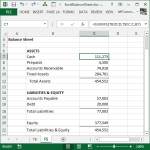
Excel Balance Sheet This post illustrates how to create a financial statement such as a balance sheet with built-in Excel features and functions. Our primary objective is to build a workbook that efficiently pulls values from the trial balance into the balance sheet. Overview For the purpose of this post, let’s assume we have a…

The SUMIFS function is for sure, without a doubt, one of my most favorite Excel functions of all time. I’m sure I use it in well over half of my workbooks, and it is a must-know function for Excel users. I’ll try to get you warmed up, but just know that this post only gets…
- « Previous
- 1
- …
- 3
- 4
- 5