
Excel University Blog
Read on for in-depth articles, tutorials, and videos. Search or browse for specific topics. Be sure to subscribe if you'd like to be notified when we write something new.
Features
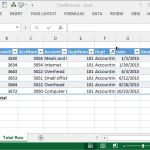
The Table feature of Excel remains one of my favorites. This post explores one very specific aspect of the feature, the total row. Overview One of Microsoft’s greatest gifts of Excel 2007 was the introduction of the table feature. It allows us to convert an ordinary range into a table (Insert > Table, or, Ctrl+T).…

This post explores options for formatting cells that are locked, or unlocked, in an Excel worksheet. Scenario Let’s pretend we have a worksheet that helps a user compare three different loans. The user is required to enter information, such as interest rate and number of years, into designated input cells, but shouldn’t be allowed to…

Hi guys! Just wanted to draw your attention to my April 2014 Journal of Accountancy article that discusses the power of mapping tables. If you’ve not experimented with this technique, it is worth checking out. In summary, a mapping table sits between the data and report sheets and enables you to translate labels and aggregate…

This post demonstrates how to set up a PivotTable to show 100% on the subtotal lines when using the show values as a percentage of parent total option. Overview Before we begin, let’s review our objective. We want to summarize our data by region, and within each region, by rep. We also want to show…

This post explores macro-free methods for using Excel’s data validation feature to create an in-cell drop-down that displays choices depending on the value selected in a previous in-cell drop-down. Overview As with just about anything in Excel, there are several ways to achieve the goal. This post explores three such solutions, and if you have a…

This post discusses ways to retrieve aggregated values from a table based on the column labels. Overview Beginning with Excel 2007, we can store data in a table with the Insert > Table Ribbon command icon. If you haven’t yet explored this incredible feature, please check out this CalCPA Magazine article Excel Rules. Frequently, we…

When you want to format a cell based on the value of a different cell, for example to format a report row based on a single column’s value, you can use the conditional formatting feature to create a formatting formula. This post explores the details of formatting a cell or range based on the value…

Have you ever split one column in to many columns, or vice versa, combined many columns into a single column? If so, you have likely relied on the text-to-columns feature to split a single column into many and the CONCATENATE function to join many columns into a single column. Beginning with Excel 2013, Microsoft provides…

Today, we will look at using conditional formatting with formulas, data validation, and comparison formulas. Think you are up for it? Let’s do this thing. Let’s say we have a worksheet that computes the payment of a loan. We can use the PMT function to easily accomplish this task. The PMT function requires three arguments…

Let me ask you a question. How do you hide a row or a column? Since this is Excel we are talking about, there are several methods to accomplish this goal. Common Approaches One common approach is to select the row or column, and then select the Hide command, either from the Format Ribbon icon…