
Excel University Blog
Read on for in-depth articles, tutorials, and videos. Search or browse for specific topics. Be sure to subscribe if you'd like to be notified when we write something new.
Posts

I was asked how to prepare a table with 50 columns for printing. The specific request was to break each record in the data table into multiple printed rows with a blank row in between each record. Basically, we want the columns to wrap when printed. In this post, I’ll show how to define groups…

Hyperlinks are a useful way to expedite navigation. If you have ever created a hyperlink to a worksheet, you may have noticed that your hyperlink can break if you change the worksheet name. This post demonstrates how to use defined names to avoid this type of error. Objective Let’s say we want to make it…

Microsoft just announced a new Excel function called STOCKHISTORY. This function provides a way to retrieve historical stock quotes directly into Excel. As it is being rolled out over time, I haven’t had a chance to use it yet. But as soon as my copy of Excel receives the function, I’ll write a post about…

Historically we have been able to get PDF data into Excel using a standard copy/paste or some third-party tools. Now we have another option. We can use Power Query to retrieve values from PDF files. This post walks through the basics. Video Objective We have a PDF file, perhaps it looks like this: We…

In this post, I’ll answer a question I received from Sara about how to create a drop down with each worksheet name and reference it in a formula to retrieve values from the selected sheet. As this is Excel, there are a variety of alternatives to accomplish this. In this post, I’ll demonstrate one such…

I recently wrote an article for the Minnesota Society of CPAs about a technique that helps you create budgets faster. Even if you don’t prepare budgets, the underlying features and functions used can be applied elsewhere. In summary, we use a data validation drop-down to provide several Budget Methods. Once you select a budget method…

Let’s say you need to take an amount and split it evenly into monthly columns. For example, perhaps you need to recognize revenue over time. Or, perhaps you have spent some money and you need to allocate the expense over time. There are other illustrations, but the basic idea is that you have a total…

Microsoft has been hard at work updating Excel’s calculation engine. Depending on the version of Excel you’re using, you either have—or will have when you update—access to some capabilities that are sure to change how you think about and use Excel. I wrote about one of the new capabilities called Dynamic Arrays for California CPA…
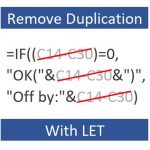
Have you ever written a formula that repeats the same expression multiple times? I know I have. One simple example is IF((A1-B1)=0,0,A1-B1). Notice how the expression A1-B1 is used twice? This is a simple example of duplicating an expression within a formula. In general, we want to try to remove/minimize such duplication to make the…

This is the third and final post in the Speed Loop series. In the first post, we identified and prepared our recurring-project workbooks for speed. In the second post, we increased their value by improving efficiency and accuracy. Now it is time to leverage our time savings. The final step is: Realize Gain. Before we…