
Excel University Blog
Read on for in-depth articles, tutorials, and videos. Search or browse for specific topics. Be sure to subscribe if you'd like to be notified when we write something new.
Tables
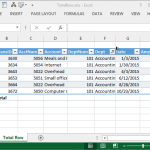
The Table feature of Excel remains one of my favorites. This post explores one very specific aspect of the feature, the total row. Overview One of Microsoft’s greatest gifts of Excel 2007 was the introduction of the table feature. It allows us to convert an ordinary range into a table (Insert > Table, or, Ctrl+T).…

Hi guys! Just wanted to draw your attention to my April 2014 Journal of Accountancy article that discusses the power of mapping tables. If you’ve not experimented with this technique, it is worth checking out. In summary, a mapping table sits between the data and report sheets and enables you to translate labels and aggregate…

This post explores macro-free methods for using Excel’s data validation feature to create an in-cell drop-down that displays choices depending on the value selected in a previous in-cell drop-down. Overview As with just about anything in Excel, there are several ways to achieve the goal. This post explores three such solutions, and if you have a…

This post discusses ways to retrieve aggregated values from a table based on the column labels. Overview Beginning with Excel 2007, we can store data in a table with the Insert > Table Ribbon command icon. If you haven’t yet explored this incredible feature, please check out this CalCPA Magazine article Excel Rules. Frequently, we…
- « Previous
- 1
- 2
- 3
- 4