
Excel University Blog
Read on for in-depth articles, tutorials, and videos. Search or browse for specific topics. Be sure to subscribe if you'd like to be notified when we write something new.
VBA
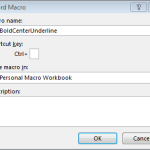
When storing utility macros, Excel users often elect to save them in the Personal Macro Workbook. The advantage is that the macros are available whenever Excel is running. The disadvantage is that if you switch or upgrade computers, you may forget to take a backup of the Personal Macro Workbook and thus lose your macros. In…
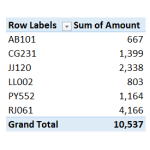
PivotTable users frequently spend time assigning the same number format to PivotTable values. To my knowledge, there isn’t a built-in setting that allows us to define a default value field format. But, it is pretty easy to set up a macro that instantly assigns a desired format. This post walks through the steps of creating such a macro. Objective…

The SUBTOTAL is a wonderful alternative to the SUM function, and this post shows how to set up a shortcut button that inserts the SUBTOTAL function. Our new shortcut button will be similar to the AutoSum button that inserts the SUM function because it will automatically include the cells above. Objective Before we get started, let’s…

Excel’s Merge and Center command has an icon, but, it is often better to Center Across Selection instead of merging cells. Unfortunately, the current version of Excel doesn’t have a Center Across Selection Ribbon icon. In this post, we’ll create a simple macro that we can activate with a Quick Access Toolbar (QAT) icon. Objective Let’s…

Did you know that Excel has two levels of hidden worksheets? Excel has “hidden” worksheets, and, “very hidden” worksheets. This post walks through the differences, and how to hide worksheets at each level. By default, all new worksheets are visible. A visible worksheet’s tab appears in the bottom of the Excel window, enabling the user…
- « Previous
- 1
- 2