
Excel University Blog
Read on for in-depth articles, tutorials, and videos. Search or browse for specific topics. Be sure to subscribe if you'd like to be notified when we write something new.
Techniques

If you have ever tried to use a VLOOKUP function with two or more criteria columns, you’ve quickly discovered that it just wasn’t built for that purpose. Fortunately, there is another function that may work as an alternative to VLOOKUP depending on what you want to return. Video Multi-Column Lookup Objective First, let’s confirm our…

In this post, we’ll explore a formula-based approach that does not use VBA to find the last occurrence of a delimiter and use it to retrieve the lowest sub account from a Quickbooks account list in Excel. When I was doing some research for a project I had a couple of years ago, I was…
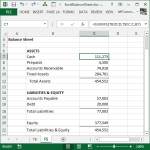
Excel Balance Sheet This post illustrates how to create a financial statement such as a balance sheet with built-in Excel features and functions. Our primary objective is to build a workbook that efficiently pulls values from the trial balance into the balance sheet. Overview For the purpose of this post, let’s assume we have a…

If you have ever needed to allocate an amount over time, and split the amount into monthly columns based on the number of days, you’ll quickly realize that this simple idea is tricky to actually implement. As with anything in Excel, there are many ways to accomplish this task, and this post walks through one…

In this post, we’ll cover a handy technique for manually filling data labels down through an Excel range. This can also be referred to as repeating the labels, or, as flattening the data. Let’s get into it. Note: An alternative would be to use a Get & Transform query, as discussed in this post. Flattening…

Let me ask you a question. How do you hide a row or a column? Since this is Excel we are talking about, there are several methods to accomplish this goal. Common Approaches One common approach is to select the row or column, and then select the Hide command, either from the Format Ribbon icon…

Have you ever called up the Go To dialog in Excel? There is a little button in it that enables you to go to special places in Excel. This post explores some of these special destinations. For starters, let’s call up the Go To dialog within an empty workbook. There are a few different ways…

Have you ever worked in a workbook with only a few worksheets…say three or four sheets? Navigating to the correct sheet is fast and easy, and you spend very little time getting to the spot you need to be to do your work. Have you ever worked in a workbook with more sheets? Say, 10,…
- « Previous
- 1
- …
- 7
- 8
- 9